Create an account on the app.benchsci.com signup page OR log in through your enterprise single sign-on (SSO) link
1. Go to signup/login page: app.benchsci.com
Note: Select industry customers have enabled single sign-on (SSO) to access the platform with a dedicated link and institutional credentials. Click here to learn more.
2. Click "Sign up"
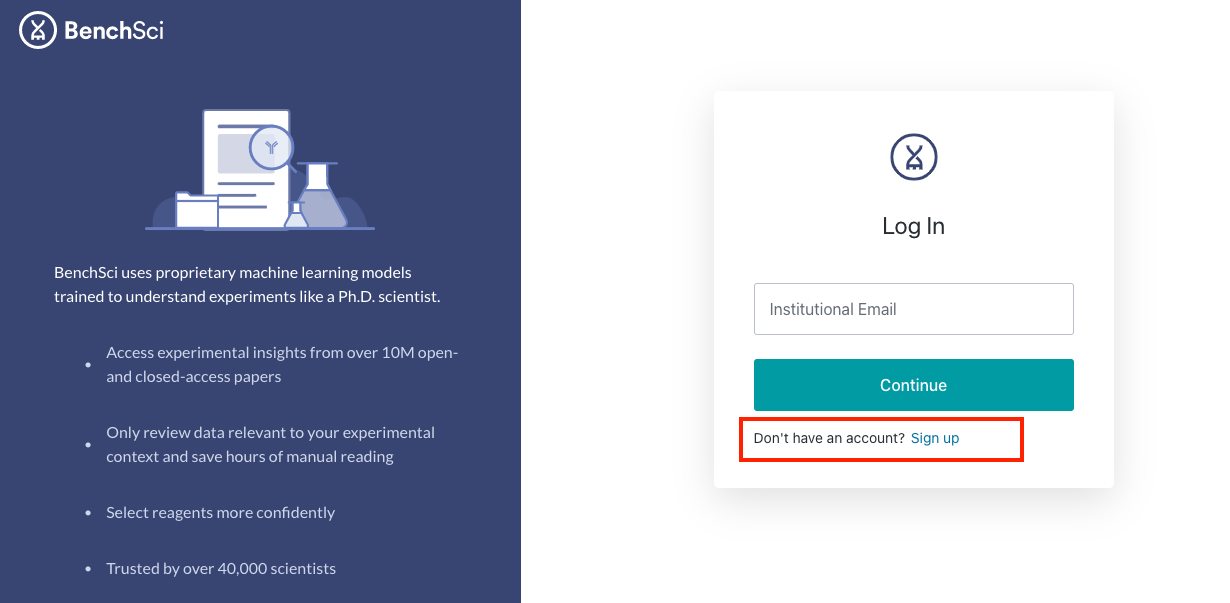
3. Enter your institutional email address and name

4. Create a secure password

5. Verify your email address: An activation email will be sent to your email inbox

6. Open the email and click "Activate Account"

7. You're ready to log into ASCEND: app.benchsci.com

8. Start searching!
Note: This landing page may look different depending on your user type (industry/academic) and access level.
